How to Design a BAS Network Infrastructure (Step-by-Step)

Alps Controls can help you design, source, and secure your building automation network with the right switches, routers, and gateways, all in one place. That way, you can build your BAS network infrastructure the right way, before it costs you the job.
But before you build it, there are a handful of questions that you need to answer first. Here’s a quick checklist that will help you define your goals, strategy, and ultimately the parts you’ll need for your project:
Step 1: Define Your Building Type - A Few Examples
Hospitals represent a critical BAS environment because patient safety considerations are at the heart of efficiency and downtime considerations. Their networks require redundancies, dependable power supplies, and more.
School projects are often determined by budget limitations and long lifecycle expectations, so finding dependable infrastructure components with minimal upgrades is particularly important. Schools and campuses also have multiple buildings with different systems that require integration, and systems need to be simple and intuitive because on-site maintenance staff may not be network and BAS specialists.
Data centers offer challenges when it comes to uptime: because uptime is everything and failure is absolutely not an option. Multiple redundancies are often a requirement, and the network has to be able to handle high traffic without latency issues.
In all building types, though, issues of scalability and future-proofing, cybersecurity, commissioning, and network architecture are all incredibly important to consider.
Step 2: Determine Your Network Architecture

BACnet IP
This is a more modern, future-proof solution that offers easier integration, and it’s fast and scalable. Terrific for large, modern, and critical systems. On the other hand, it’s also more complex to set up, more expensive, and brings with it more cyber security concerns.
BACnet MSTP
Less expensive and simple to set up, this is super-reliable (when wired correctly) and doesn’t rely on any IT dependency. It’s ideal for small and simple systems. It’s quite a bit slower, however, and has limited capacity when it comes to the number of devices.
Step 3: Select Your Connectivity Strategy
Here’s a quick look at what to consider if your network infrastructure is going to utilize wired connections vs. cellular:
If you need stability, permanence, and high performance, wired is your choice. It’s ideal when your BAS is mission-critical and your buildings are larger like hospitals, schools, and data centers. Running cable is more labor-intensive, however, which means costs go up and it’s tougher to deploy in remote locations.
Go with cellular for considerations of flexibility, quick deployment, remote access, or in situations where access to the facility’s IT is restricted or unreliable. It’s great for smaller, stand-alone systems like retail and small commercial. Cellular depends on signal strength, however, so it shouldn’t be used in situations where reliability is key.
Step 4: Choose the Right Hardware
The key to deciding between the different types of network hardware is in understanding their basic differences:
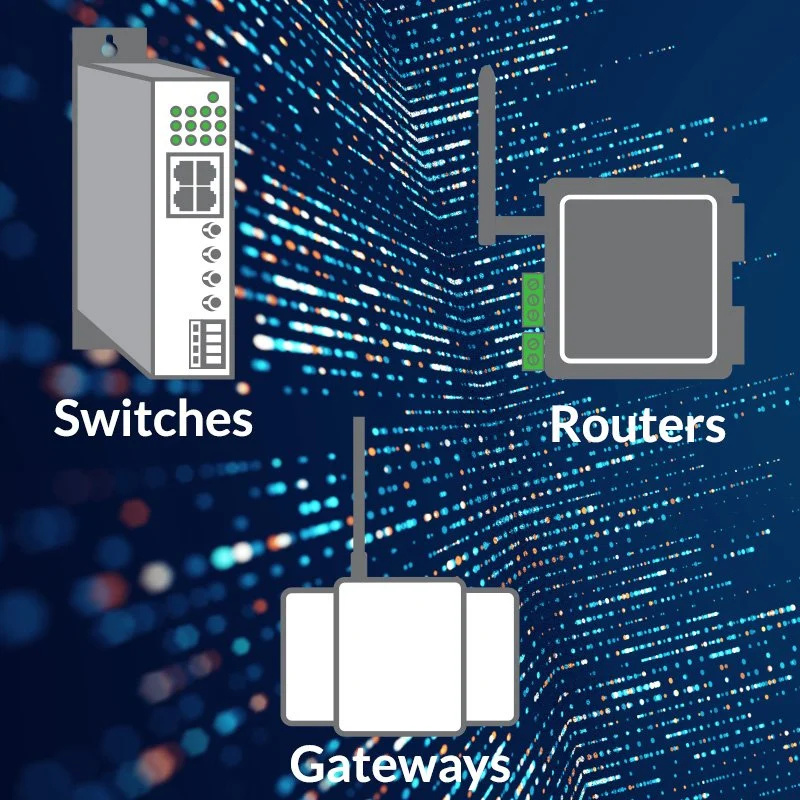
Think of a switch as a local traffic manager, connecting devices within the same network. It doesn’t have to “think”, only to move the data - like traffic - between other devices. A switch connects your BAS devices.
A router is more of a traffic director - it decides what traffic is allowed to go where. It might be between buildings or between a BAS network and other networks. It controls the flow of data - but with rules. A router connects your BAS network to other networks.
If you need a protocol translator, you need a gateway. It can translate BACnet to Modbus, BACnet/IP to BACnet MS/TP, vice versa, and more. A gateway makes it possible for incompatible systems to talk to each other. A gateway connects your BAS to other systems and protocols.
Step 5: Plan for Redundancy and Security
Here are 5 quick things to think about when it comes to keeping your system running through hardware redundancies:
Network paths - using two uplinks from critical switches and avoid a single switch from feeding anything important.
Controller-level strategy - put critical equipment on IP controllers, not all on one MS/TP trunk; i.e., don’t overload a single trunk with everything.
Install power backups on BAS servers, core switches, and key controllers.
Server redundancy - backup servers for big/critical jobs, regular backups for the small ones.
Cellular failover - Add a cellular router as backup access; this gives visibility if IT network goes down
And here are 6 items to consider when it comes to your system’s security:
Network segmentation - separate BAS servers, field controllers, and corporate IT to limit cyber risk and network noise.
Controlled remote access - no open ports to the internet so that no one can access your BAS via Google!
Password access and device hardening - this may seem obvious, but often gets skipped.
Firewall Rules & Port Control - Allow only required traffic (BACnet/IP, web access) and block everything else between networks
Vendor & Third-Party Access Control - Enable access only when needed and don’t leave permanent open access for vendors
Keep It Updated - With firmware updates for servers and gateways. Test before deploying!
Alps Controls Perspective: Designing for the Future
At Alps Controls, we see BAS network infrastructure evolving toward:
Greater use of BACnet/IP
Increased OT/IT convergence
More remote access and cloud integration
Higher expectations for cybersecurity
That’s why we focus on:
Proven network components
Vendor interoperability
Practical, real-world deployment strategies
Find parts, manufacturers, and resources for your BAS network









Need Help Designing Your BAS Network?
Whether you’re planning a retrofit, new construction, or system upgrade, getting the infrastructure right upfront is critical.
Explore:
BAS network hardware
Integration-ready components
Vendor-supported solutions
— or connect with our team to talk through your design.